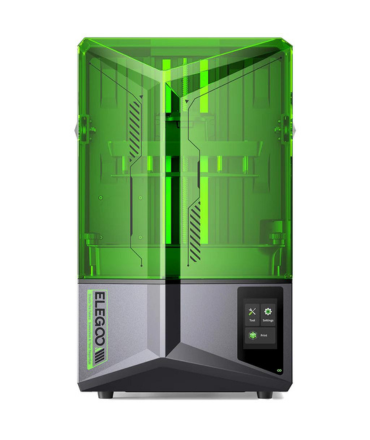


How to Achieve Optimum Bed Leveling on Elegoo Saturn 4 & Saturn 4 Ultra & Saturn 4 Ultra 16K
suggest to download the .gcode file provide below link and put it in the USB drive, insert the device and "print", then restart as prompted to complete the parameter loading.
https://drive.google.com/file/d/1cPPuqIlfjaWCNj4gutF56pP7Cc_v53qo/view?usp=sharing
After that, please refer to this video to manually level the build plate to achieve optimal leveling
Proper bed leveling is the foundation of successful resin 3D printing. Even though the Saturn 4 Ultra series features an advanced auto-leveling style mechanism, achieving optimum leveling ensures:
- Strong first-layer adhesion
- Reduced print failures
- Consistent dimensional accuracy
- Longer FEP/ACF film life
- Better surface finish
At DIY3D.in, we’ve tested multiple Saturn units in real-world Indian workshop conditions. Here’s the complete practical guide to get perfect leveling every time.
Why Leveling Matters More on 16K Printers
The 16K LCD in the Saturn 4 Ultra 16K offers extremely high pixel density. With higher resolution:
- Tolerances become tighter
- First-layer exposure becomes more sensitive
- Uneven pressure can cause micro-failures
That’s why precise leveling is even more critical on 16K machines.
The Saturn 4 Ultra series is extremely capable, but resin printing success always starts from the first layer.
Perfect leveling =
✔ Higher success rate
✔ Less resin wastage
✔ Cleaner prints
✔ Professional consistency
If you need original spare parts, ACF films, resins, or technical guidance, our team at DIY3D.in is always ready to help.
Happy Printing 🚀